
Construction site management

Your whole site,
in your pocket.

Stop paying from memory on Saturday, stop typing delivery notes by hand, and stop finding out about an overspend once it has happened. Ochanti works the pay out from actual attendance, reads the supplier's note from a photo, and warns you before the site eats your margin.

You see a site's margin while it runs You pay what is owed, not what you recall Two sites, and your day is still yours
What contractors say about it →
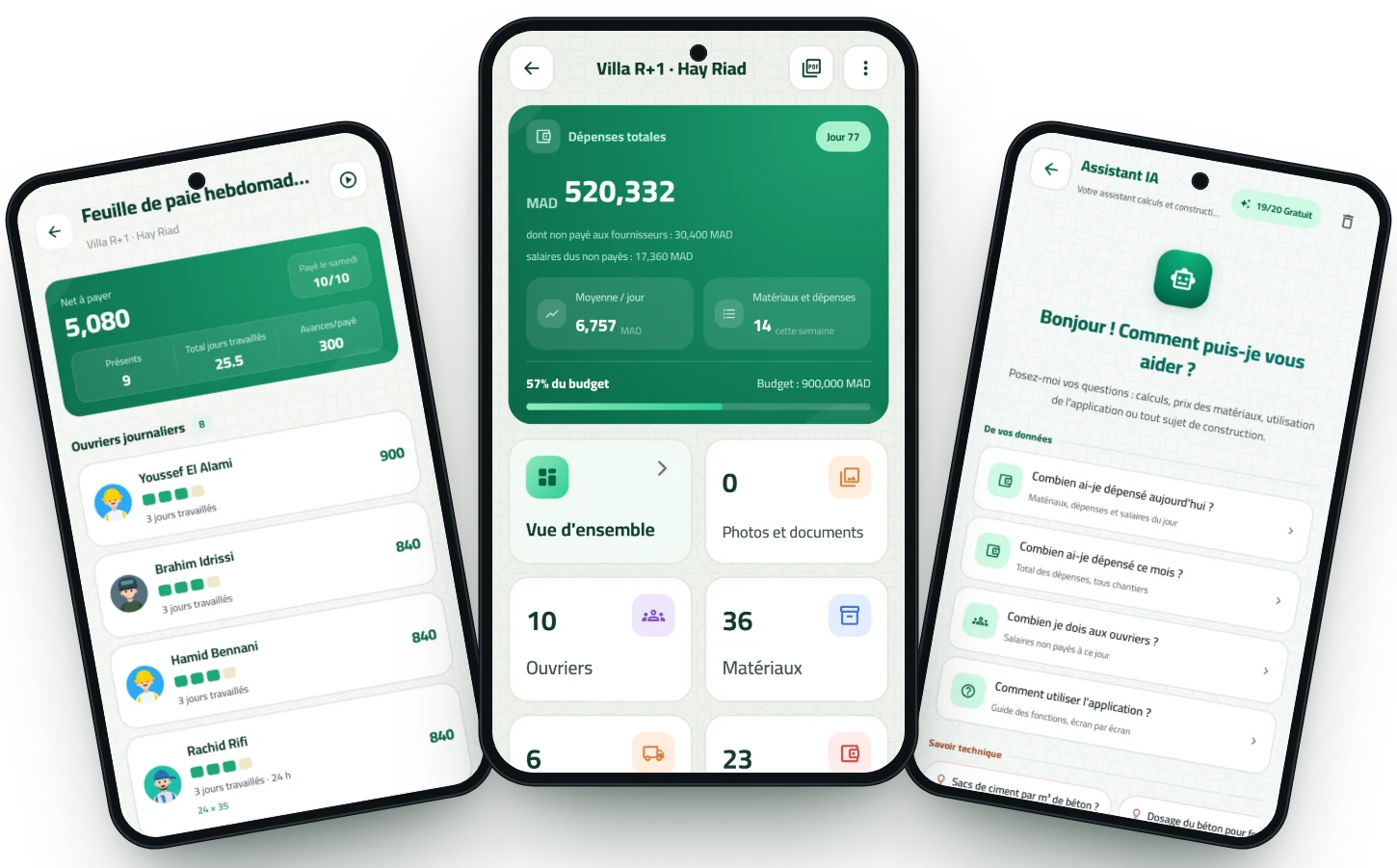
Three Ochanti screens: the project page, worker attendance and the assistant
Today's attendanceSaved ✓
PDF reportReady to share
57% of budgetunder control
The problem

Three questions that come back every week, and a notebook cannot answer

A notebook records what happened. What you need on Saturday is an answer.

Is this site making money or losing it, right now?Most contractors find out at handover. By then nothing can be corrected.
Exactly how much do I owe this worker today?Six days of attendance in your head, and ten workers standing in front of you on Saturday.
What did I pay for this material last time?Without the answer, every price the supplier quotes sounds reasonable.
Why Ochanti

What does it actually change for you?

These are the problems a contractor lives through every week, and what the app does with them.

Stop overpaying

On Saturday you pay from memory and from a scratched-out notebook. A worker who missed two days collects a full week, and nobody notices.

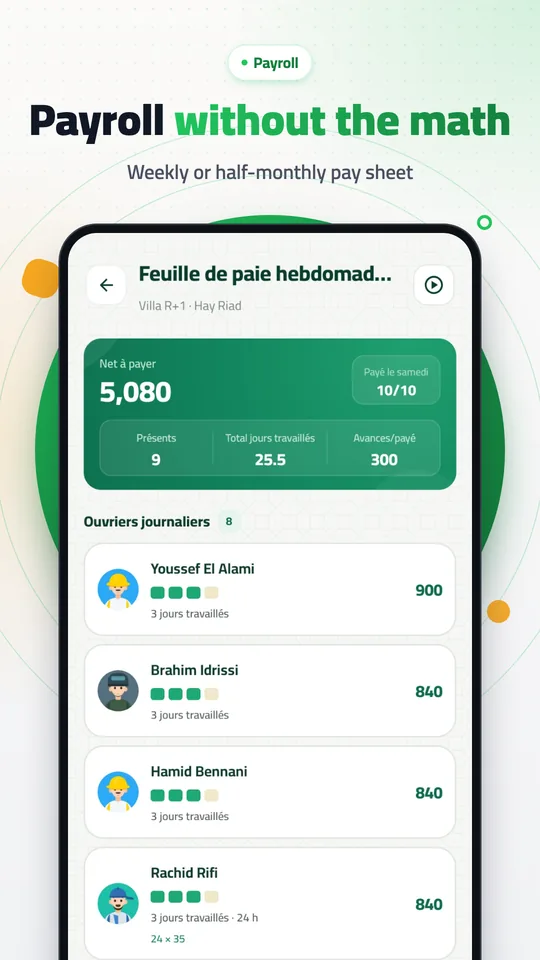
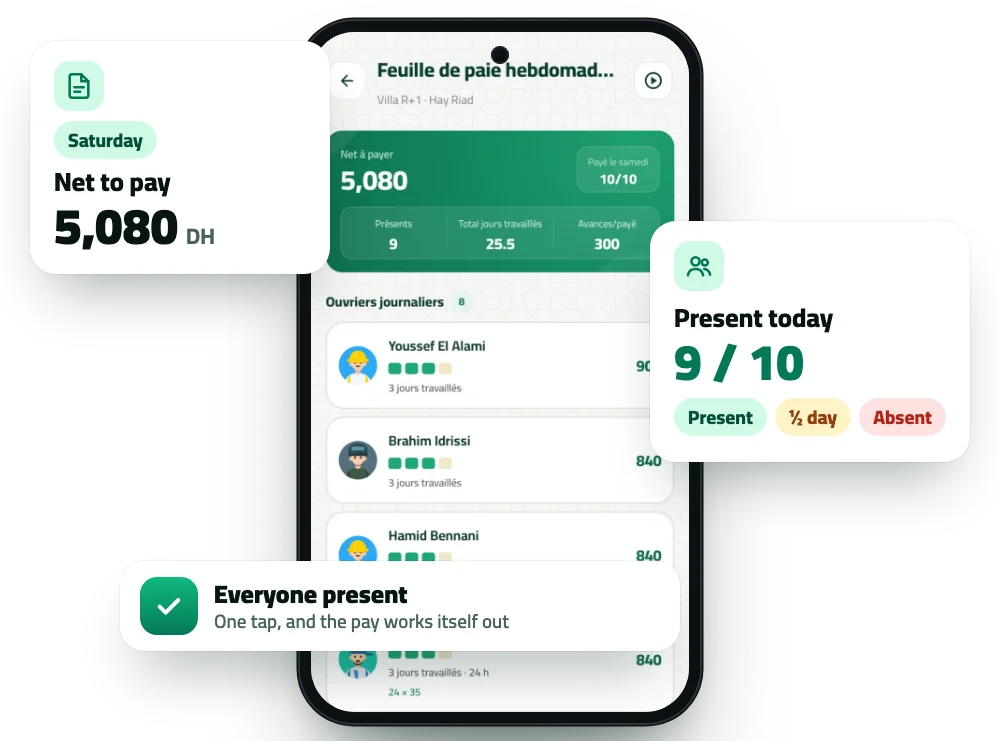
Pay = days actually worked × daily rate (half a day counts 0.5), minus the advances you handed out during the week. The number is waiting for you on Saturday morning.
Never type a delivery note again

Supplier notes pile up in the car and in your pocket, entered late at night — or never.

Photograph the note. The app reads it and pulls out the supplier, the date and every material with quantity, unit and price. You check the lines and save them in one go.

Know before it's too late

You find out the site ate the budget after it ate it — and the difference comes out of your own margin.

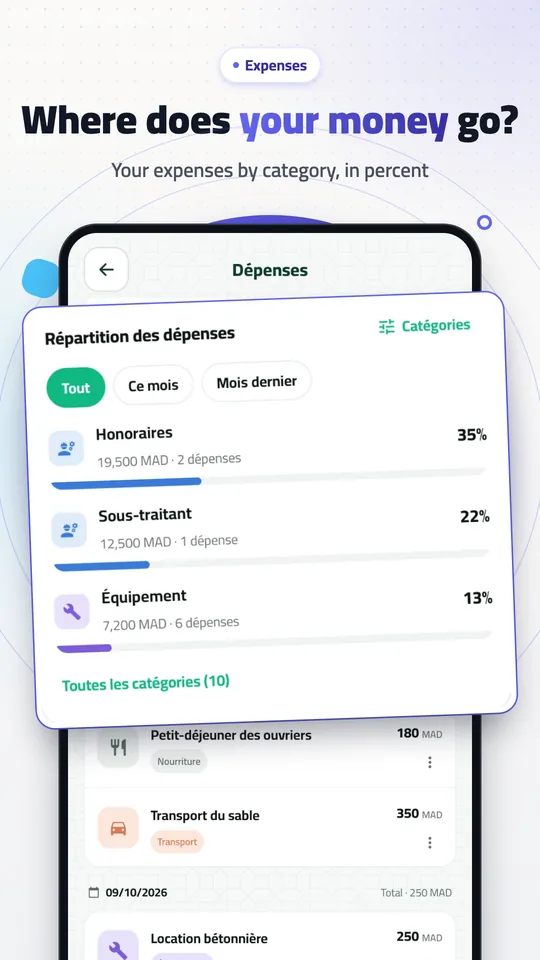
A chart splits your spending across labour, materials and other costs against the budget, with an alert at 80% and another when you go over — offline, and with no account.

No forgotten supplier credit

The same supplier is written three different ways in three notebooks, and you no longer know exactly what you owe.

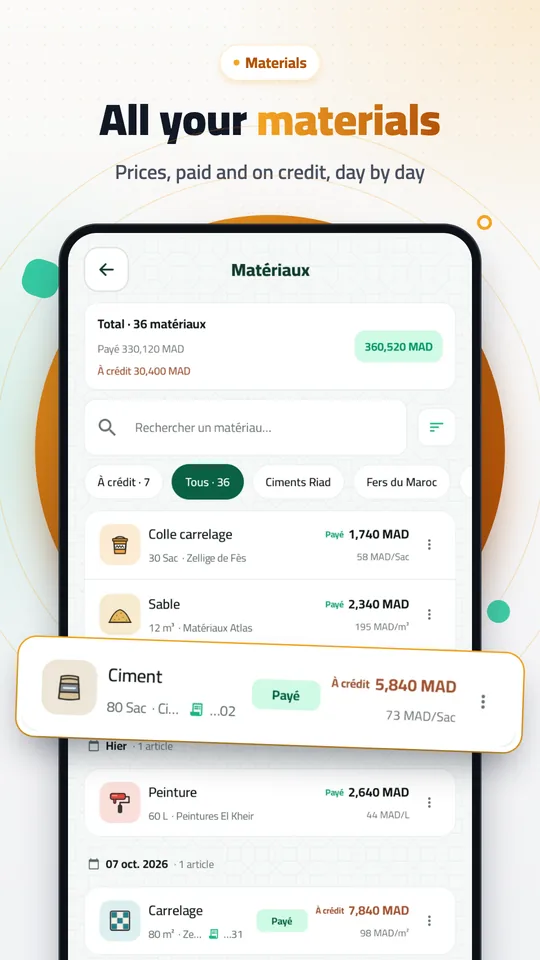
One supplier, one running balance. Select the unpaid items, tap “Paid”, and export their statement as a PDF whenever they ask.

Hand over paperwork people respect

A quote scribbled on a sheet of paper, and an invoice you keep putting off for a week.

Eight PDF documents on your letterhead: site report, daily report, payroll sheet, receipt, invoice, quote, purchase order and supplier statement.

Stop being on every site at once

Two sites in two cities, and you spend the day on the phone asking: who turned up? what was delivered? how much was spent?

Create a supervisor account per site. They record attendance, materials and expenses, and you get a notification on every important action — without them ever seeing your clients, invoices or accounts.

Inside the app

Four things you do every week, made simpler

Real screens from the app, and the numbers that come out of them.

Attendance screen with the net-to-pay and present-today cards
Workers and pay

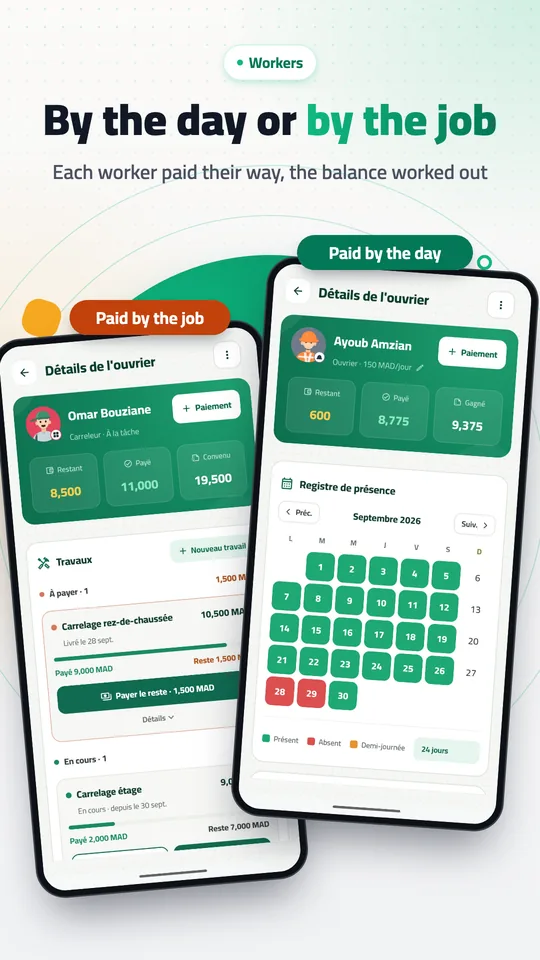
Mark attendance each morning; on Saturday the number is ready

Present, half day or absent: one tap per worker. The week’s pay is worked out from the days actually worked, advances come off by themselves, and the pay sheet exports as a PDF.

  • Paid by the day, the month or the job
  • Advances and payments on the worker’s own page
  • A weekly sheet: due, paid, net
See the feature →
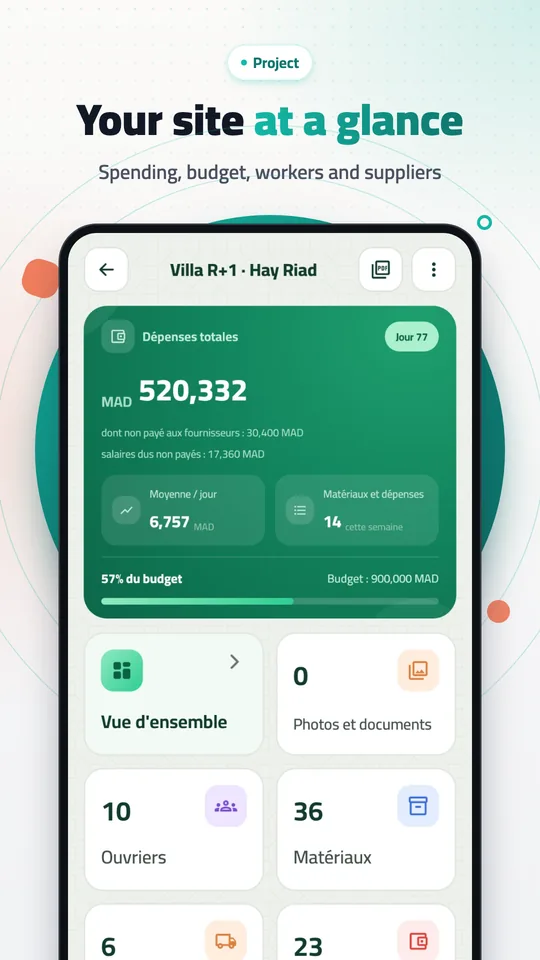
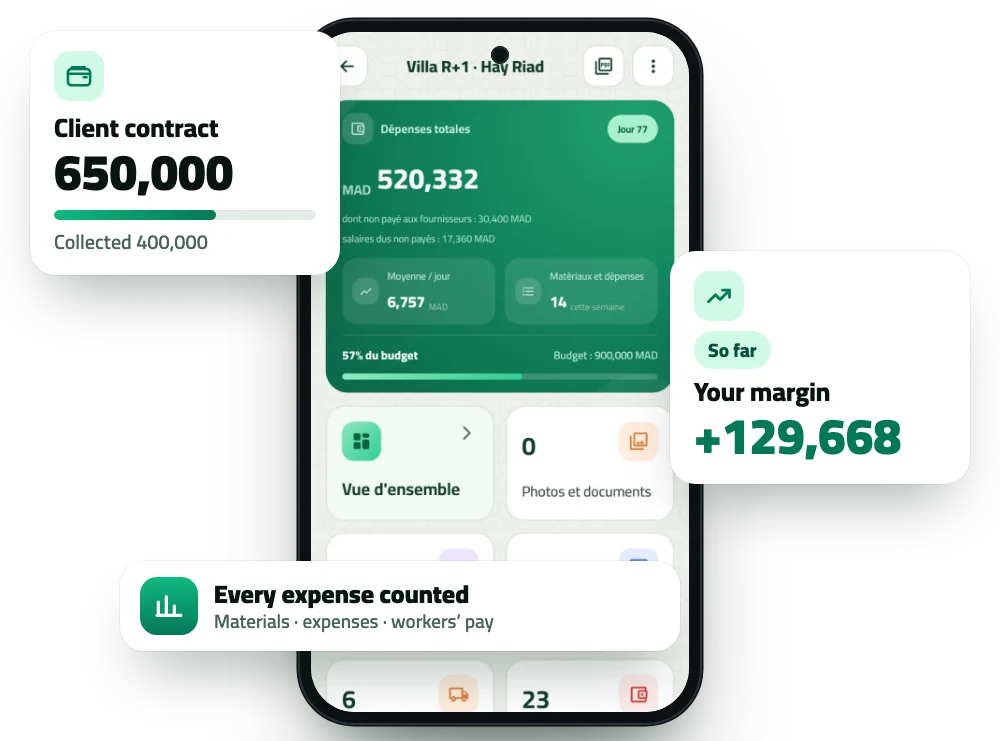
Project page with the contract and margin cards
Site and budget

Is this site making money? The answer is on the first screen

The client contract, what you have collected, what you have spent on materials, expenses and workers: one card, with the share of the budget used. An alert at 80%, another when it is exceeded.

  • Total spend and the daily average
  • What is still owed to suppliers and workers
  • One debts-and-receivables screen for every site
See the feature →
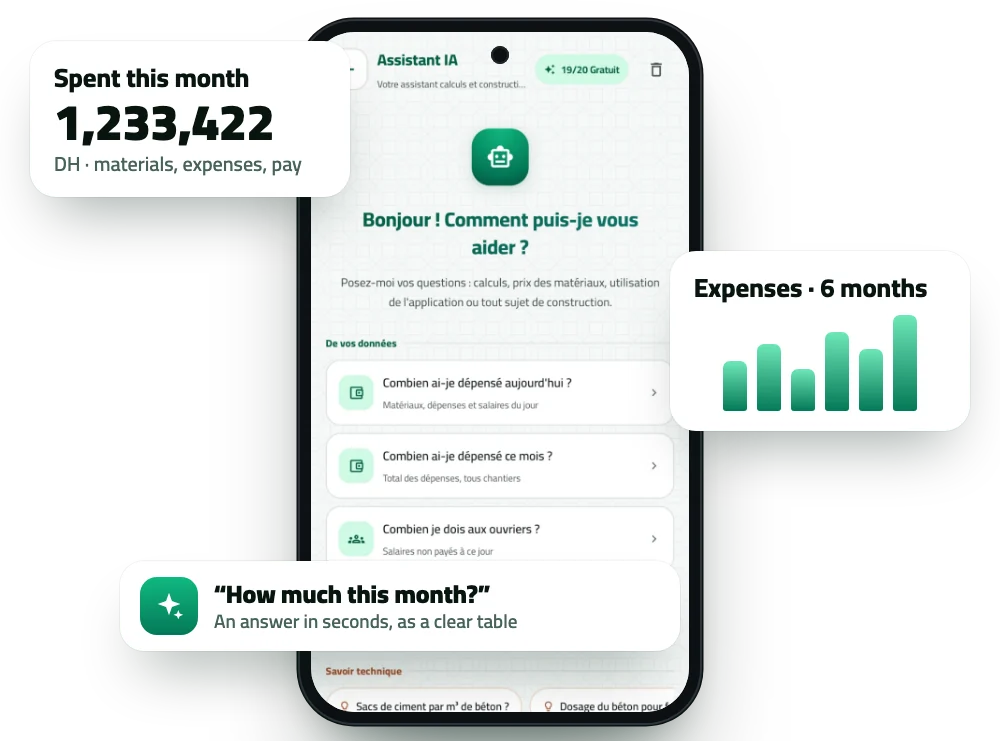
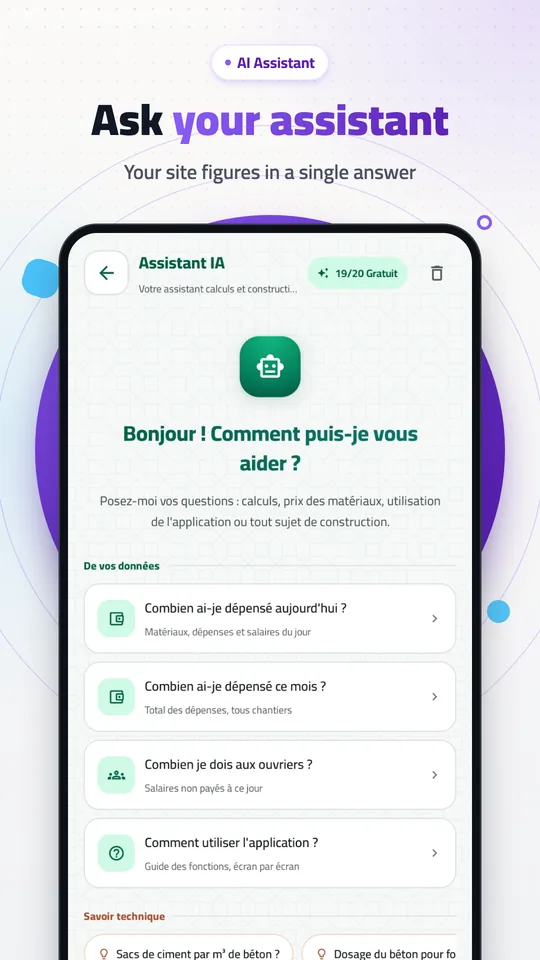
Assistant screen with the spent-this-month card and a six-month chart
Smart assistant

Ask in your own words; it answers with your own figures

“How much did I spend this month?” “What do I owe this week?” The assistant reads your sites’ data and answers as a clear table, and changes nothing until you confirm.

  • Understands English, French, Arabic and Darija
  • Answers from your sites, not from general facts
  • Suggests, then confirms before writing
See the feature →
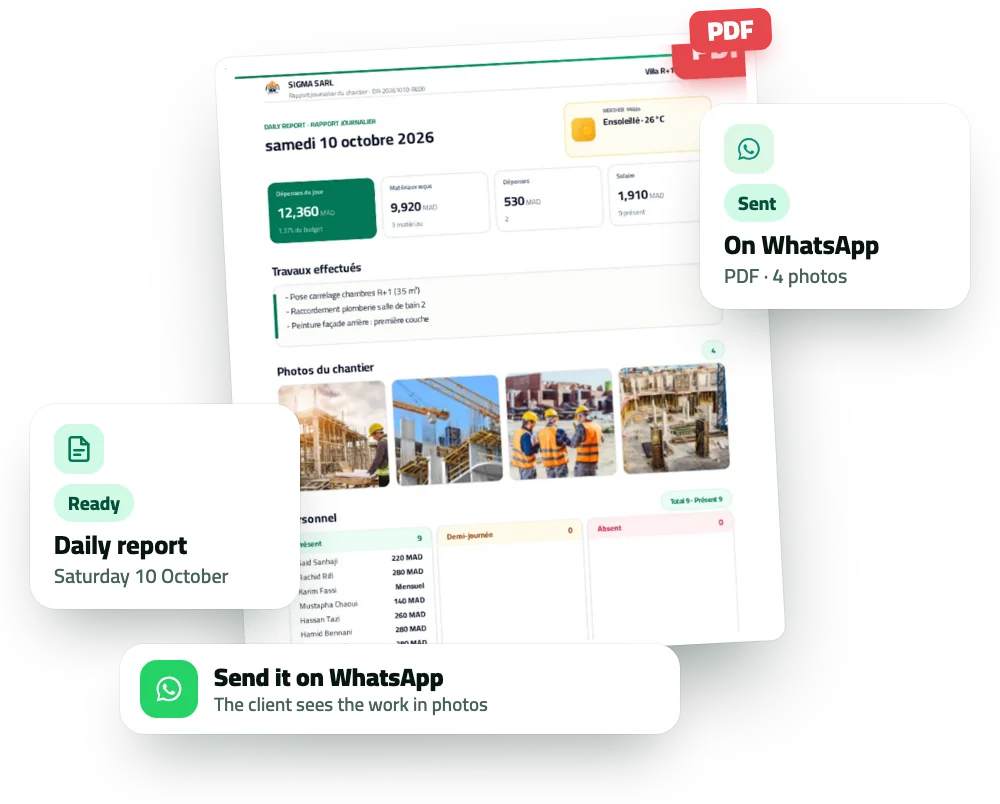
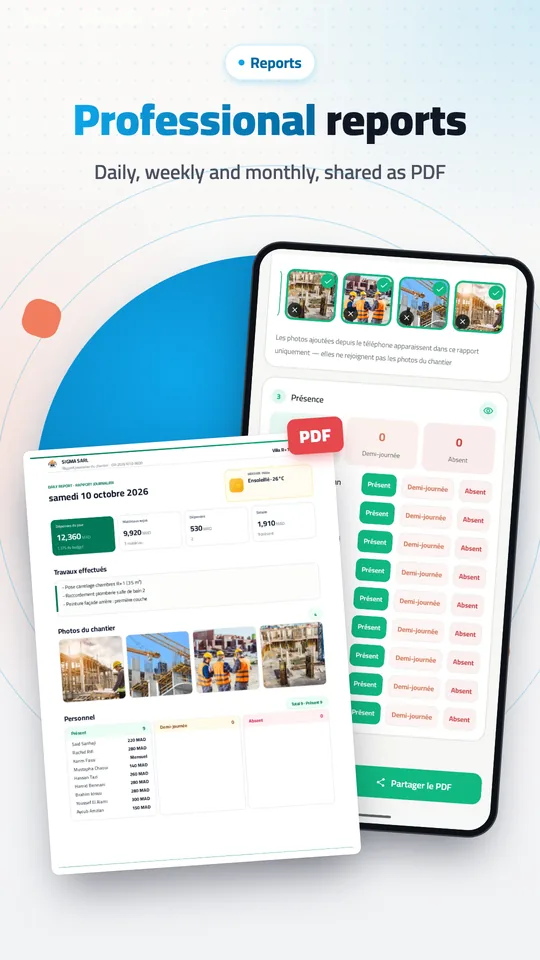
Daily report PDF with the ready and sent-on-WhatsApp cards
Reports and invoices

The daily report with photos, as a PDF on WhatsApp in a minute

Work done, attendance, materials received, expenses, up to 12 photos and your signature, on your company letterhead. Eight more documents work the same way: invoice, quote, receipt, pay sheet…

  • Your letterhead, logo and legal details
  • Each file’s language chosen at export
  • Sent straight to WhatsApp
See the feature →
Inside the app

Your workers, your sites, your paperwork, your numbers

Four things that take up most of your day. Here is what each one becomes.

Worker tracking done properlyA file per worker: trade, rate, phone number, and the history of every transaction between you. One-tap attendance — present, half day, absent — and a weekly sheet pulling together what is owed, what was paid, the advances and the net for each one, ready to export on Saturday morning.
A real supervision systemA supervisor account per site, recording attendance, materials and expenses from the site itself. You get a notification on every important action, an activity log covering the last 24 hours, and you can change or cut their access whenever you like — without them seeing your clients, your invoices or what you are owed.
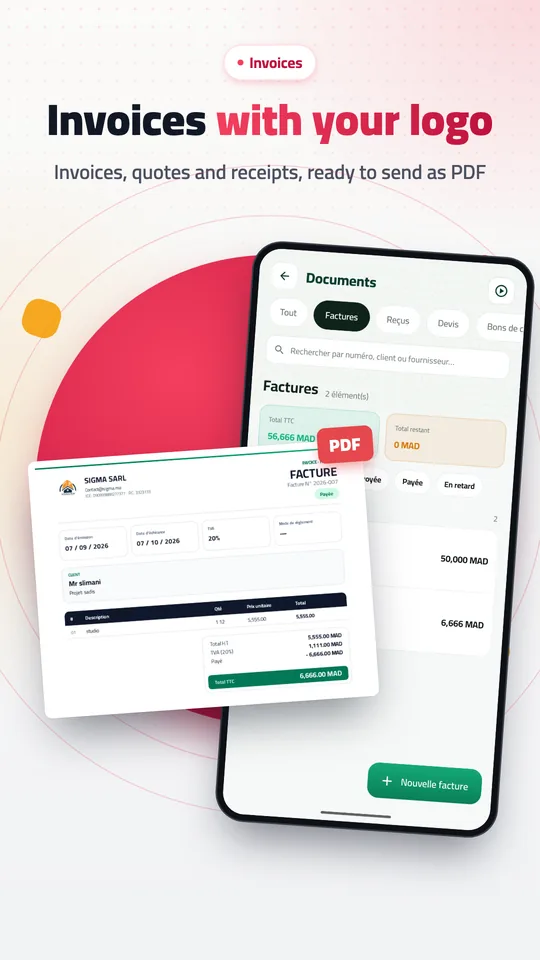
Your business paperwork, done properlyInvoice, quote, receipt, automatically numbered purchase order, supplier statement and a full site report — eight documents carrying your company letterhead and legal details, each exported in the language you choose and sent on WhatsApp in seconds.
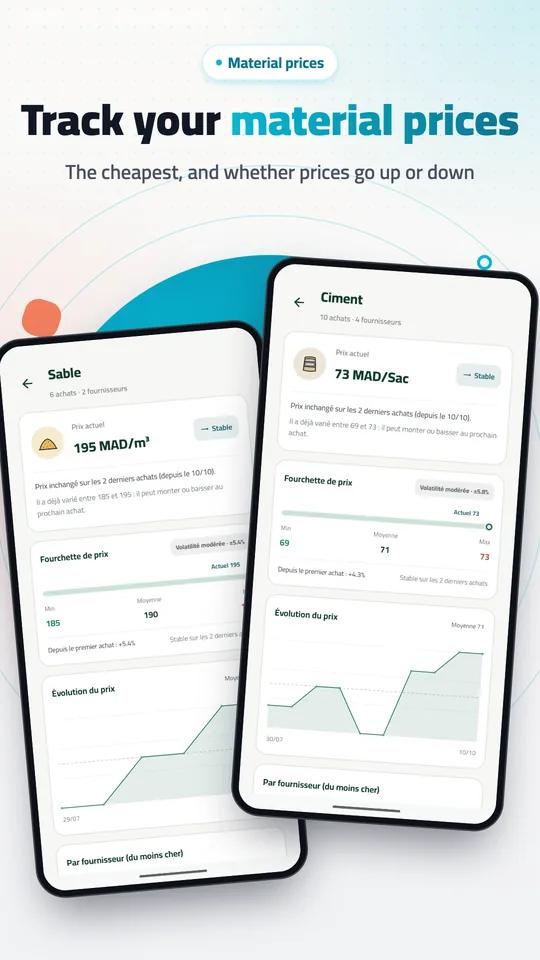
An assistant that analyses your sitesAsk it in your own language about your own figures: where the money went, what is due this week, what is still outstanding with a supplier, how a material's price has moved. It answers from your data, not from general advice — and it changes nothing in your books without your say-so.
Features

Everything you need to run a site

Simple, strong tools arranged the way you think — no complicated spreadsheets, no accounting.

Workers, attendance and pay

Record attendance with one tap: present, half day, or absent. A daily worker's pay is calculated over a Monday-to-Saturday week from the days actually worked, with advances deducted automatically; a monthly worker is paid on the date you set. The weekly payroll sheet exports to PDF.

Photograph the note, the app types it

Take a picture of the supplier's delivery note: the app extracts the supplier, the date and every line with its quantity, unit and price. You review it on one screen and save it all at once.

Materials and suppliers

Record every purchase and track each supplier's balance and debt in one place. Plus a price history built from your own purchases, split by unit so a bag is never compared with a kilo.

Eight PDF documents

Site report, daily report, weekly payroll sheet, receipt, client invoice, quote, purchase order and supplier statement — in one tap, in the language you pick for each file.

Every site's budget, and all your receivables

Inside a project: a chart splits labour, materials and other costs against the budget. Across all your projects: one screen with your net balance, what clients owe you, supplier debt and what workers are owed. With alerts at 80% of budget, on overspend, and before a monthly salary falls due.

The daily report

Work done, attendance, materials received, expenses, notes and visitors — with the weather pulled automatically from the project's city, up to 12 photos, and a signature drawn with your finger. It saves itself while you type.

Six site calculators

Concrete, slab, blocks, tiling, paint and steel. Enter the dimensions and the waste percentage and you get quantities and an estimated cost — and one button logs the result as a material in your project.

Smart assistant

Ask about your own project numbers in your own language (“how much do I owe this week?”) and it answers from your data, not from generic advice. Nothing is changed until you confirm it.

Secure, and offline

Your data is stored on your phone first and all of it works with no network. Lock the app with a PIN or your fingerprint. And if you sign in, every change syncs to the cloud automatically — anything recorded offline queues up and uploads as soon as the connection returns.

How it works

Three steps and you're running

Create your project

The app walks you through five short steps: your language, your name and your company name (they appear on your invoices), then your first project with its budget, then your workers — up to ten at once.

Record as you go

Photograph the delivery note and the app reads it, filling in the materials, the supplier and the prices for you. Tap attendance, add expenses — straight from the site, with no connection.

Share your reports

Export a professional PDF — site report, payroll sheet or invoice — choose its language, then send it to the client or your partner on WhatsApp in seconds.

Google Play reviews

What contractors say

Words left by users on the app’s store page.

Excellent, simple and easy to use. Many thanks.

User translated from Arabic

A professional, outstanding and very practical app. Thank you very much.

Youssef translated from Arabic

J’adore ! Très bonne application pour les chefs de chantier.

Hamza Google Play

A practical app. Thanks for the effort.

Tarik translated from Arabic

Thank you for this beautiful app.

Abdou translated from Arabic
The blog

Lessons from the site

Practical articles on organising a site, controlling costs, and managing workers and suppliers.

Engineer reviewing construction plans
Site managementOrganisation

How to manage your construction sites professionally

A site run from memory eats its own margin. Here is a practical eight-step method — budget, attendance, pay, materials, documentation, reports — and how to run all of it from your phone.

9 min read Read the article →
Quick answers

The questions we get most

And if yours isn't here, the FAQ page has more than twenty answers.

What is the Ochanti app?

Ochanti is an Android construction site management app built for building contractors. It tracks workers, attendance and pay, material purchases and supplier debt, and the expenses and budget of each site, and it exports share-ready PDF reports and invoices in Arabic, French or English.

Does the app need an internet connection?

No. Every core feature — workers, attendance, materials, expenses, reports, alerts, calculators — works fully offline and is stored on your phone. Internet is only needed for the optional cloud features: team accounts, sync across devices, and reading delivery notes from a photo.

Is the app free?

Yes. Ochanti is free to download and use from Google Play, with no hidden fees and no ads inside the app.

How is a daily worker's pay calculated?

Over a Monday-to-Saturday week: amount = days actually worked × daily rate (a half day counts as 0.5), minus the advances and payments handed over during that week. The result appears in the weekly payroll sheet and exports to PDF.

Which currencies and languages are supported?

Five currencies: Moroccan dirham MAD, Algerian dinar DZD, Tunisian dinar TND, euro EUR and US dollar USD. And three complete languages: Arabic (right-to-left), French and English, with a per-document language choice for every PDF.

Do I need an account?

No. The app works completely without an account and without internet. An account is optional and only unlocks team and supervisor features plus sync across your devices.

Start running your site properly today

Ochanti is on Google Play now. Download it, create your first project in two minutes, and pay the right number on Saturday.

No ads Works offline
Construction worker with a megaphone